Micro-skills
A micro-skill is a fine-grained skill that cuts across several level-1 domains. Where a domain is a broad chapter (“Calculation formulas”), a micro-skill is a much more precise item (“Mastery of date functions”, “Use of absolute references”).
Micro-skills are used to:
- Tag questions in fine detail, independently of the domain breakdown.
- Produce cross-cutting analyses: “On which precise micro-skills did this candidate fail?”
- Identify coverage gaps in the reference framework — for example, spotting micro-skills that have no (or few) authored questions.
Open the page from the menu Question Module → Categories → Micro-skills, or directly at /domains/AdminMicroSkillsWithTable.
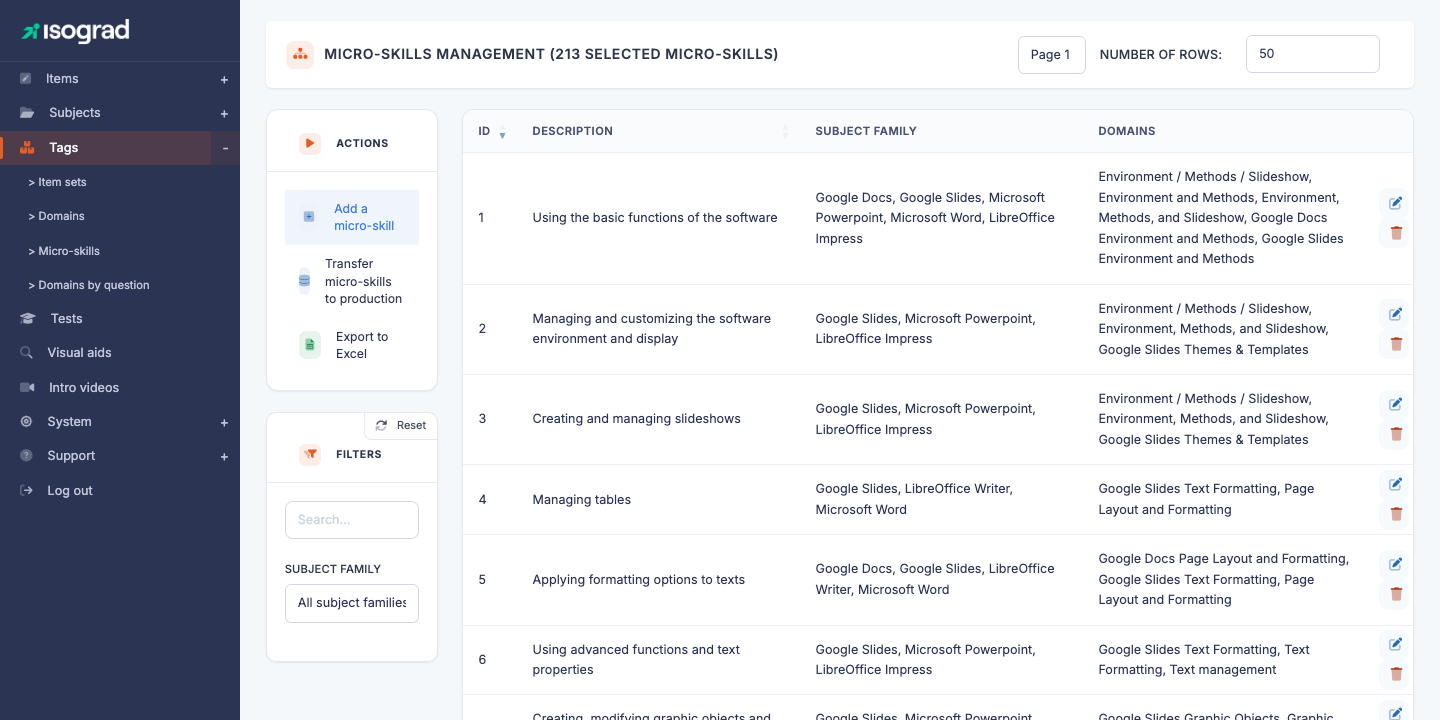
The table lists every micro-skill, with its ID, its description, the subject family of the domains they are associated with, and the list of attached domains.
Domain vs micro-skill
The distinction is subtle and worth clarifying:
| Domain | Micro-skill | |
|---|---|---|
| Granularity | Broad (chapter) | Fine (precise item) |
| Attachment | One subject per domain | Several domains (cross-cutting) |
| Presence in the report | Score per domain | Not shown to the candidate |
| Use | Pedagogical breakdown | Traceability tag |
| Hierarchy | Up to 3 levels (L1/L2/L3) | Flat |
💡 When to use which? — Use a domain when you want a breakdown visible in the candidate report. Use a micro-skill for internal analysis needs and to steer coverage of the reference framework.
Create a micro-skill
Creation is direct — no pre-creation modal, unlike subjects or domains.
-
From the Micro-skill management page, click Add a micro-skill in the action bar.
-
The platform immediately creates an empty record and takes you to its edit form (
MicroSkillUpdate?is_create=1&mic_ski_id=<new_id>). -
Fill in the tabs — see Tabs of the edit form below.
Tabs of the edit form
The micro-skill edit form has two tabs:
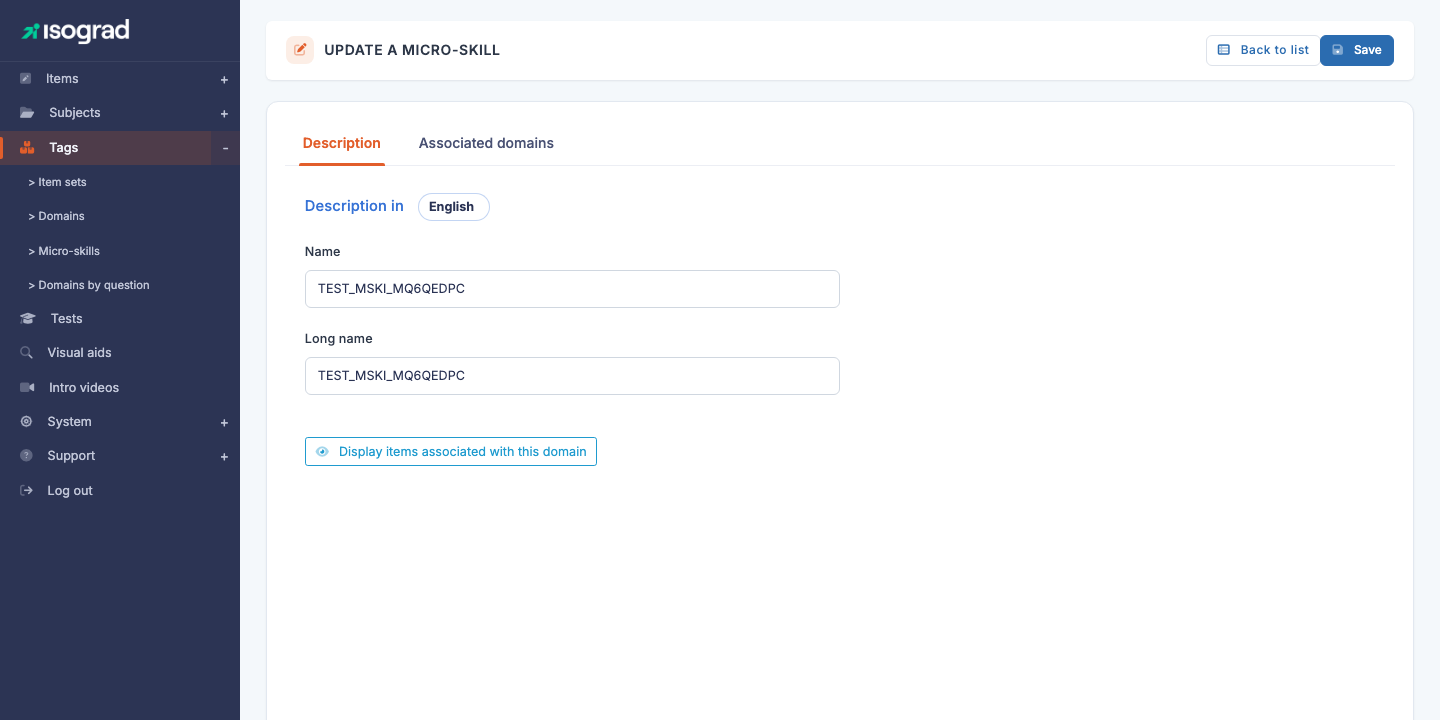
“Description” tab
For each language (the “Description in” picker at the top of the tab), two fields:
- Name — concise label that appears in the list and in question filters. Choose a meaningful title of about ten words at most.
- Long name — explanatory text detailing the scope of the micro-skill. Acts as documentation for question authors and QA reviewers.
A button Show questions associated with this domain opens the list of questions currently tagged with this micro-skill — useful to check coverage at a glance.
“Associated domains” tab
This tab is structurally the most important one: it determines in which domain(s) the micro-skill can be used to tag questions.
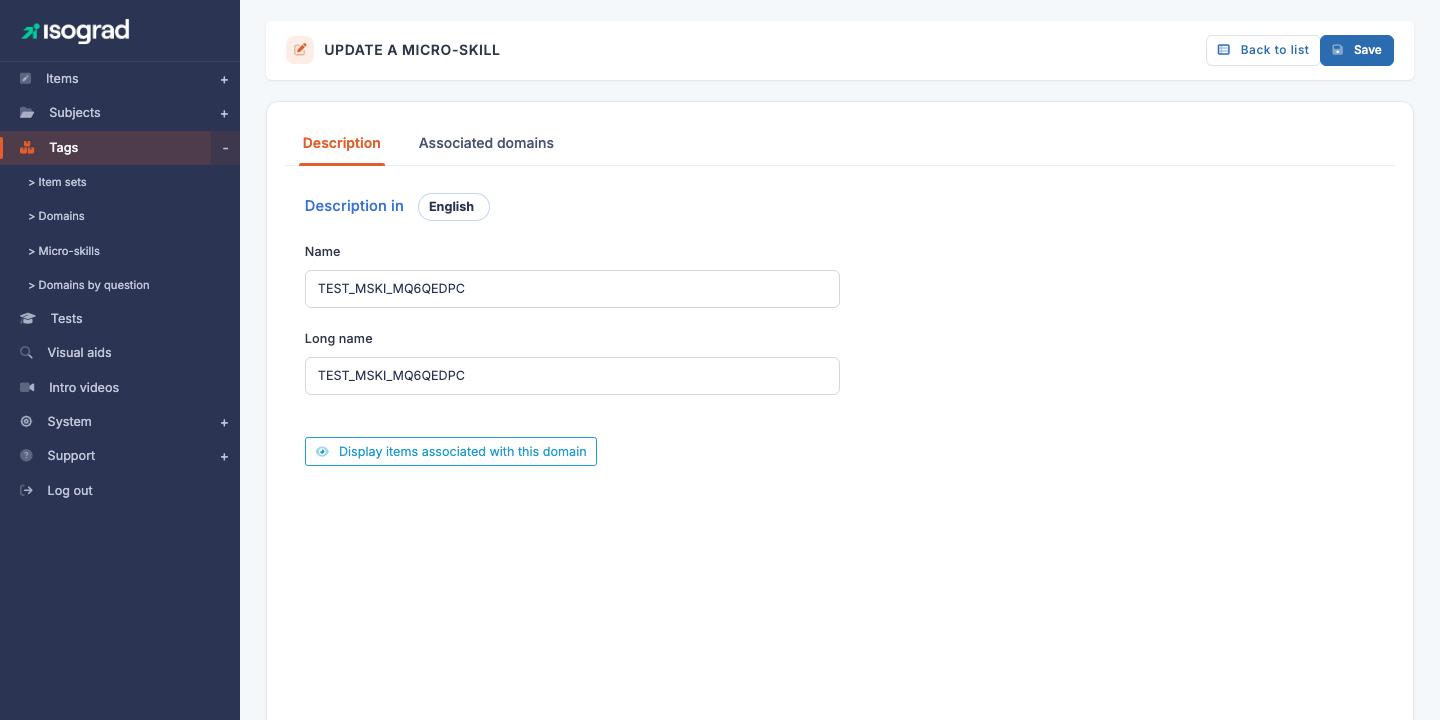
The tab shows two side-by-side lists:
- Available domains (
#unused) — every level-1 domain not yet associated with this micro-skill. - Associated domains (
#used) — the domains currently attached.
To link: drag and drop a domain from available to associated. The reverse to unlink. Click Save at the top right to persist.
💡 Filter the list — A filter field above each list lets you quickly find a domain once the framework grows large. Essential on accounts with several hundred domains.
⚠️ Level-1 domains only — Only L1 domains appear in the lists. L2 and L3 domains automatically inherit the micro-skill from their parent. This avoids the unmanageable combinatorial explosion of associating a micro-skill with dozens of sub-levels.
Multilingual entry
As with domains, a micro-skill’s description is multilingual: the “Description in” picker at the top of the Description tab lets you switch between the active languages. Fill in at least your account’s default language; the other languages can be left blank if you do not have time to translate — the micro-skill remains usable, but will fall back to its default-language label.
Filters
The Filters panel offers two controls:
- Search — free text on the ID or the short description.
- Subject family — restricts the list to micro-skills associated with at least one domain of a subject in the chosen family.
Sorting is available on each column by clicking the header.
Delete a micro-skill
- On the micro-skill’s row, click the Delete icon.
- Confirm via Delete on the confirmation page.
💡 Tag lost — Unlike domains, micro-skills can be deleted even when questions are tagged with them: the questions simply lose the tag but remain intact. Before deleting a widely used micro-skill, open the list of associated questions to gauge the impact.
Export the list
The Export to Excel button in the action bar generates an .xlsx file listing every micro-skill currently filtered, along with their associated domains. Valuable for framework audits and for sharing the full mapping with external contributors.