Subject families
A subject family groups several subjects under one banner. For example, the Microsoft Excel family groups Excel 2016, Excel 2019, Excel 365; the Adobe Illustrator family groups the various versions of the software. It is the parent organisational unit of the subject.
Open the page from the menu Question Module → Subjects → Subject families, or directly at /subjects/AdminSubjectFamiliesWithTable.
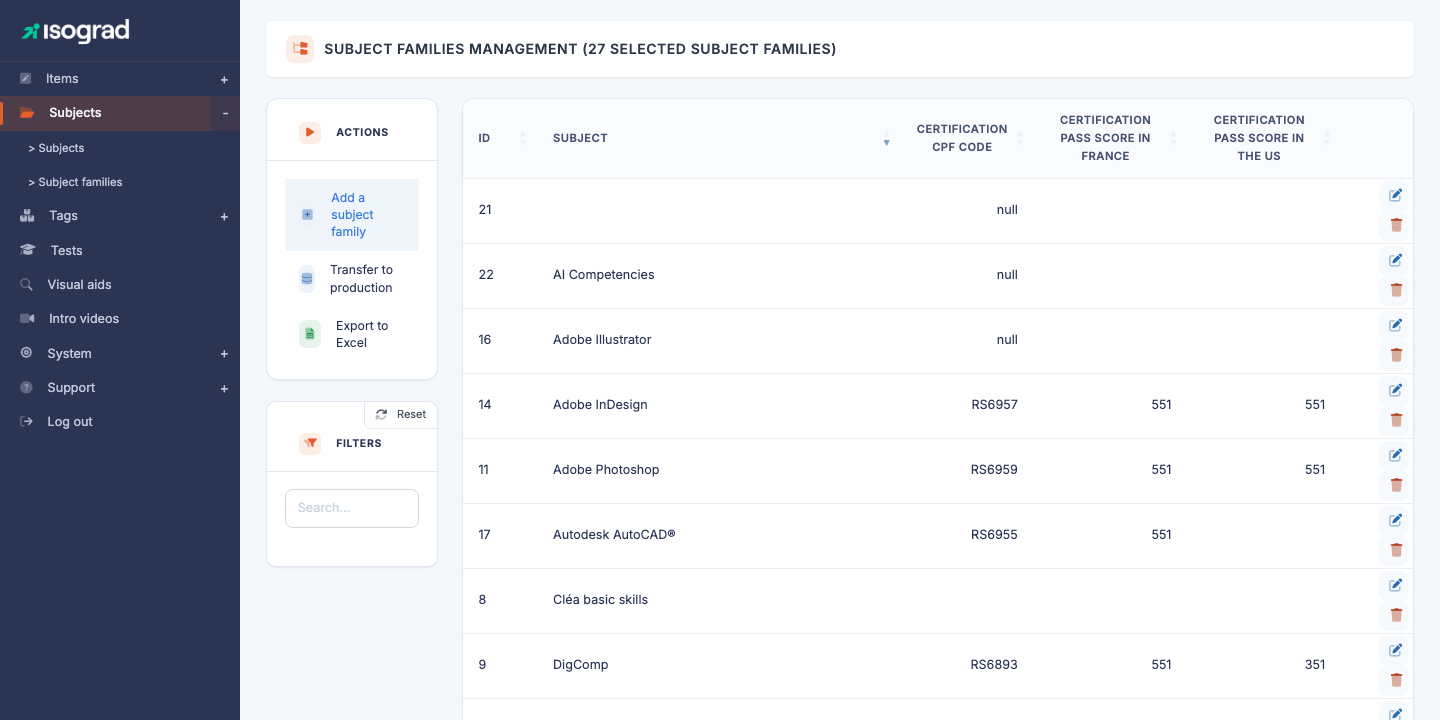
The table lists every defined family, with its ID, name, CPF code (where applicable) and its minimum certification scores for France and the United States.
Main families and secondary families
The platform distinguishes two types of family, identified by the is_pri flag:
- Secondary family (
is_pri=0) — a simple grouping of subjects. Only one thing to configure: the name in each language. - Main family (
is_pri=1) — a pivot family that shares its settings with all its child subjects: jobs per level, test commercial descriptions, author credits, and certification parameters (CPF code, minimum score, Credly badges, “High-level test” flag).
The choice between main and secondary depends on the nature of the subjects being grouped. A family of official certifications (Tosa Excel, Tosa Word) is typically main because all its child subjects share the same CPF code and the same level grid. A purely organisational family (“Internal HR tests”), which only files away independent subjects, is secondary.
💡 How do I know whether a family is main? — Open its edit form: a main family shows 5 tabs (Description, Jobs, Tests, Experts, Specific); a secondary family has only one tab, Description.
Create a family
-
From the Subject family management page, click Add a family in the action bar.
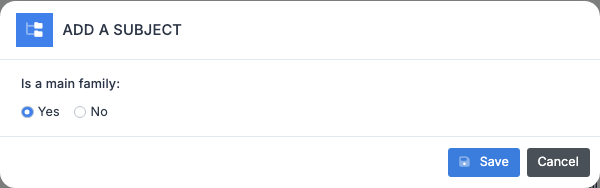
-
Enter:
- The Name of the family (single- or multilingual depending on your needs).
- The Main family switch to flip to a main family if you want the extra tabs.
-
Confirm. The family is created and you are redirected to its edit form.
⚠️ Changing the type later — The main/secondary status can be changed after creation, but this affects the consistency of the child subjects: switching to secondary discards the shared parameters (jobs, commercial descriptions). Conversely, switching to main requires filling in all those parameters to activate their propagation to the child subjects.
Tabs of the family form
Secondary family — a single tab
A secondary family has only the Description tab: Name (single- or multilingual) and Long name. Save and you are done.
Main family — five tabs
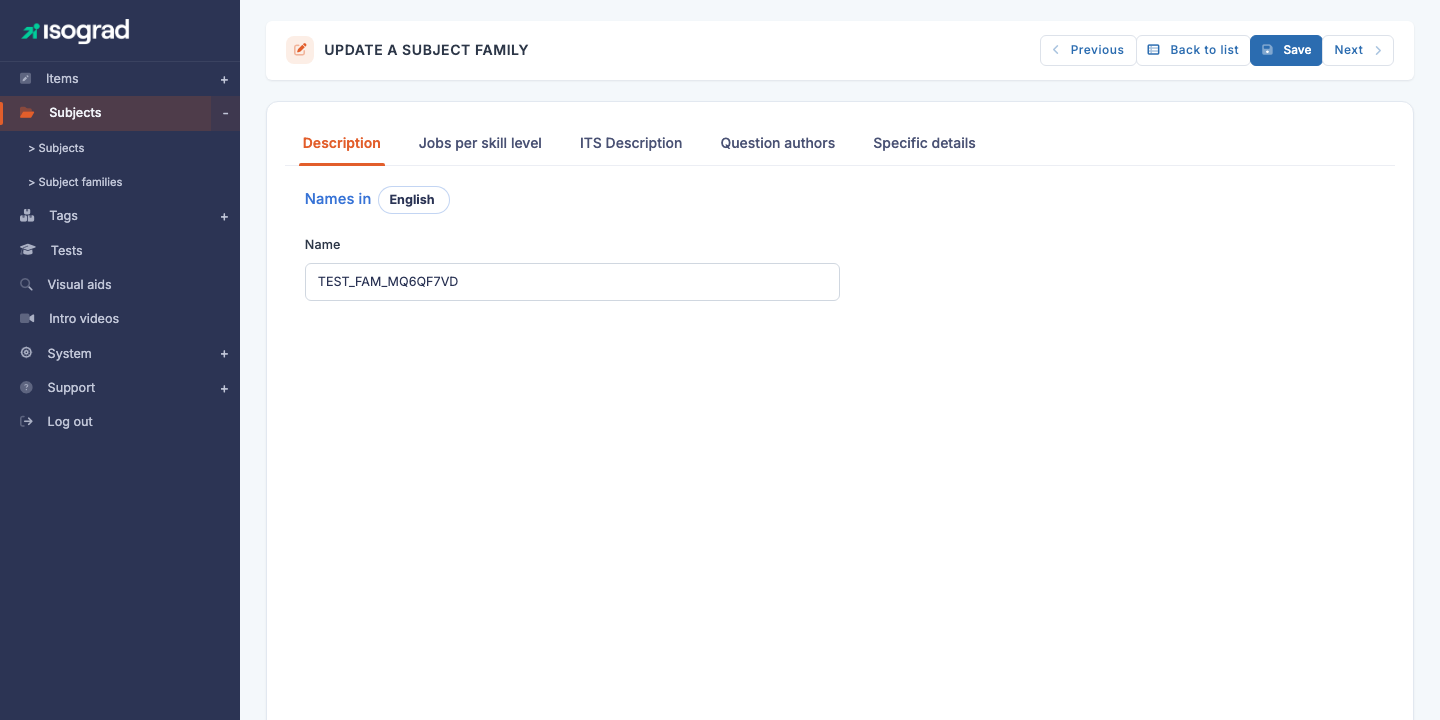
The edit page (titled EDIT A SUBJECT FAMILY) shows the following tabs:
| Tab | Contents |
|---|---|
| Description | Name and Long name of the family (a “Names in” language picker at the top lets you switch between the active languages). |
| Jobs per level | For each level (1 to 5) × each language, a list of matching jobs. This information propagates to every child subject: no need to redefine it at the subject level. |
| Test commercial description | For each language, three texts (card snippet, long description, short description) used on public pages and in catalogues. Shared across all child subjects. |
| Question authors | Credit line for the family’s authors and experts — appears in every report for candidates who took a subject from the family. Shared across all child subjects. |
| Specific details | Certification parameters: CPF code (Mon Compte Formation), minimum certifying score for France and the United States, “High-level test” flag (HGH), presentation screenshots, Credly badges. |
💡 Why at the family level and not at the subject? — Rather than duplicating the commercial descriptions on Excel 2016, Excel 2019, Excel 365, we centralise them on the Microsoft Excel family — a single place to maintain when the wording changes.
CPF code and certification
The Specific tab of a main family offers the fields related to official certification:
- CPF code — unique code assigned by France Compétences to the certification. This is the code that users of Mon Compte Formation find in the catalogue. Without a CPF code, the family cannot be presented as CPF-eligible.
- Minimum certifying score — France — minimum score (out of 1000) below which the candidate does not earn certification, in line with France Compétences rules. For example, 351/1000.
- Minimum certifying score — USA — equivalent for the US market.
- High-level test — switches the family to high-level certification, which changes the diploma issued (special mention, upgraded design).
- Credly badges — identifiers of the digital badges issued on the Credly platform for certified candidates. One badge per level (Basic, Operational, Advanced, Expert).
- Presentation screenshot — image used on catalogue pages to illustrate the family.
⚠️ Editing after going live — Changing the CPF code or the minimum scores after the family has already delivered certifications does not invalidate past certifications. Future candidates, however, are assessed under the new rules.
Delete a family
- On the family’s row, click the Delete icon.
- Confirm.
⚠️ Family with subjects — A family that contains at least one subject cannot be deleted. The platform blocks the operation with an error message. Before deletion, remove or move the child subjects to another family.
Transfer to production
As with subjects, the Transfer families to production button in the action bar lets you promote a family from pre-production to production. The whole bundle — the family and its subjects, questions, test forms — is transferred in a single operation.
Reserved for strategic changes (creation of a new CPF certification, overhaul of a reference framework). For point fixes (adding a question), go through the transfer at the subject level.